Course category: Video
Course type: Dance
Course intensity: Beginner
Language: English

0.0
Overall ratingWhat you'll learn
Create any website layout you can imagine
Support any device size with Responsive (mobile-friendly) Design
Add tasteful animations and effects with CSS3
Use common vocabulary from the design industry
How to optimize iPhone settings for taking the best photos.
How to professionally edit photos with Lightroom (free) on your iPhone.
How to utilize surrounding light to propely light your subjects.
How/Why the best photographers tell stories in their photos
Become a UI/UX designer.
Master the number one platform in UI/UX design, Sketch.
You will be able to start earning money from your Sketch App skills.
What you'll learn
Skills that will allow you to apply for jobs like: Web Developer, Software Developer, Front End Developer, Javascript Developer, and Full Stack Developer
Learn modern technologies that are ACTUALLY being used behind tech companies in 2020 and 2021
You will create a real world projects to give you a general understanding of Adobe XD and the different functions that you can do with the application.
You will have expert level knowledge of Adobe XD in this course, whether you are a beginner, intermediate or have no previous knowledge of Adobe XD.
You will master the aspects of user interface and user experience design through the lens of an artist's workflow and process.
You will achieve the experience and knowledge to take your UI/UX skills into your career, job, or freelance lifestyle at your own pace.
You will create a real world projects to give you a general understanding of Adobe XD and the different functions that you can do with the application.
You will have expert level knowledge of Adobe XD in this course, whether you are a beginner, intermediate or have no previous knowledge of Adobe XD.
You will be given a major overview of all of XD's tools, features, and workspace so that you can quickly begin working on your next project.
Graphi
What you'll learn
Color Psychology
UI Design professionaly
How to have best UX ever
All kind of type font and icon
Wireframe Feedback
Symbols
All necessory Plugins
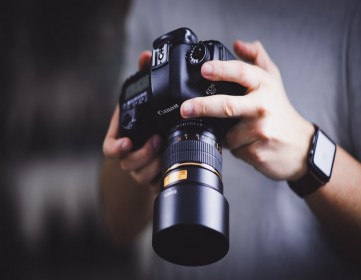
Choose the best exposure mode for the shot
Build a lens collection
Compose a balanced photo
Freeze action and control depth of field
Shoot personal portraits
Understand photography lingo
You will learn how all of the modes (Auto, P, S, A and M) work and when you should be using each mode.
You will learn to recognize the difference between depth-of-field blur and motion blur.
You'll start spending more time observing and capturing beautiful moments around you, rather than staring down at your camera feeling confused.