Course category: Video
Course type: Education
Course intensity: Advanced
Language: English
Course images not available.
3.0
Overall rating
Rated the course:
nice course
nice course
Rated the course:
Good one!!
Good one!!
Rated the course:
Good One really!
Good One really!
You will learn how to take beautiful night photographs - like the pros!
You will be happier with the photos you shoot than ever before!
You will learn how to shoot light trail photos with your camera
You will know how to use Bulb mode and a shutter release remote to shoot long exposures
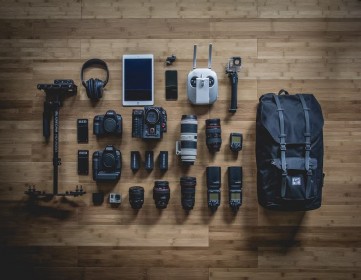
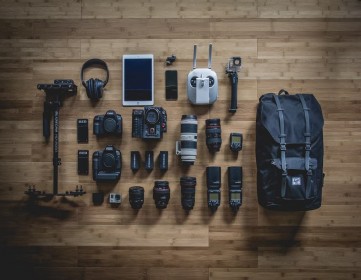
You will know what equipment you need to shoot great night photos
You will understand how to set your camera's ISO, shutter speed, and aperture (f-stop) while shooting night photographs
You will learn how to edit night photos to make them look even better
You will learn how all of the modes (Auto, P, S, A and M) work and when you should be using each mode.
You will learn to recognize the difference between depth-of-field blur and motion blur.
You'll start spending more time observing and capturing beautiful moments around you, rather than staring down at your camera feeling confused.
Choose the best exposure mode for the shot
Build a lens collection
Compose a balanced photo
Freeze action and control depth of field
Shoot personal portraits
Understand photography lingo
What you'll learn
Create any website layout you can imagine
Support any device size with Responsive (mobile-friendly) Design
Add tasteful animations and effects with CSS3
Use common vocabulary from the design industry
You will master the aspects of user interface and user experience design through the lens of an artist's workflow and process.
You will achieve the experience and knowledge to take your UI/UX skills into your career, job, or freelance lifestyle at your own pace.
You will create a real world projects to give you a general understanding of Adobe XD and the different functions that you can do with the application.
You will have expert level knowledge of Adobe XD in this course, whether you are a beginner, intermediate or have no previous knowledge of Adobe XD.
You will be given a major overview of all of XD's tools, features, and workspace so that you can quickly begin working on your next project.
Graphi
What you'll learn
Color Psychology
UI Design professionaly
How to have best UX ever
All kind of type font and icon
Wireframe Feedback
Symbols
All necessory Plugins
Become a UI/UX designer.
Master the number one platform in UI/UX design, Sketch.
You will be able to start earning money from your Sketch App skills.
Choose the best exposure mode for the shot
Build a lens collection
Compose a balanced photo
Freeze action and control depth of field
Shoot personal portraits
Understand photography lingo
1st Jan Video Vimeo Course1st Jan Video Vimeo Course1st Jan Video Vimeo Course1st Jan Video Vimeo Course1st Jan Video Vimeo Course1st Jan Video Vimeo Course1st Jan Video Vimeo Course
Know moreVimeo course testing purpose onlyVimeo course testing purpose onlyVimeo course testing purpose onlyVimeo course testing purpose onlyVimeo course testing purpose onlyVimeo course testing purpose onlyVimeo course testing purpose onlyVimeo course tes... Know more
In these video s you will learn how you can start as an trainer on livesessions.online
- How to create a trainer account
- Which are the different type of classes you can do ?
- How to create your first Vi... Know more